
If you joined in 2022 or later, you can upgrade to annual in the Membership Hub yourself.
If you joined in 2021 or don’t see the button, there is a form below for you to complete and we will upgrade this manually.
Joined in 2023 or 2023 or later
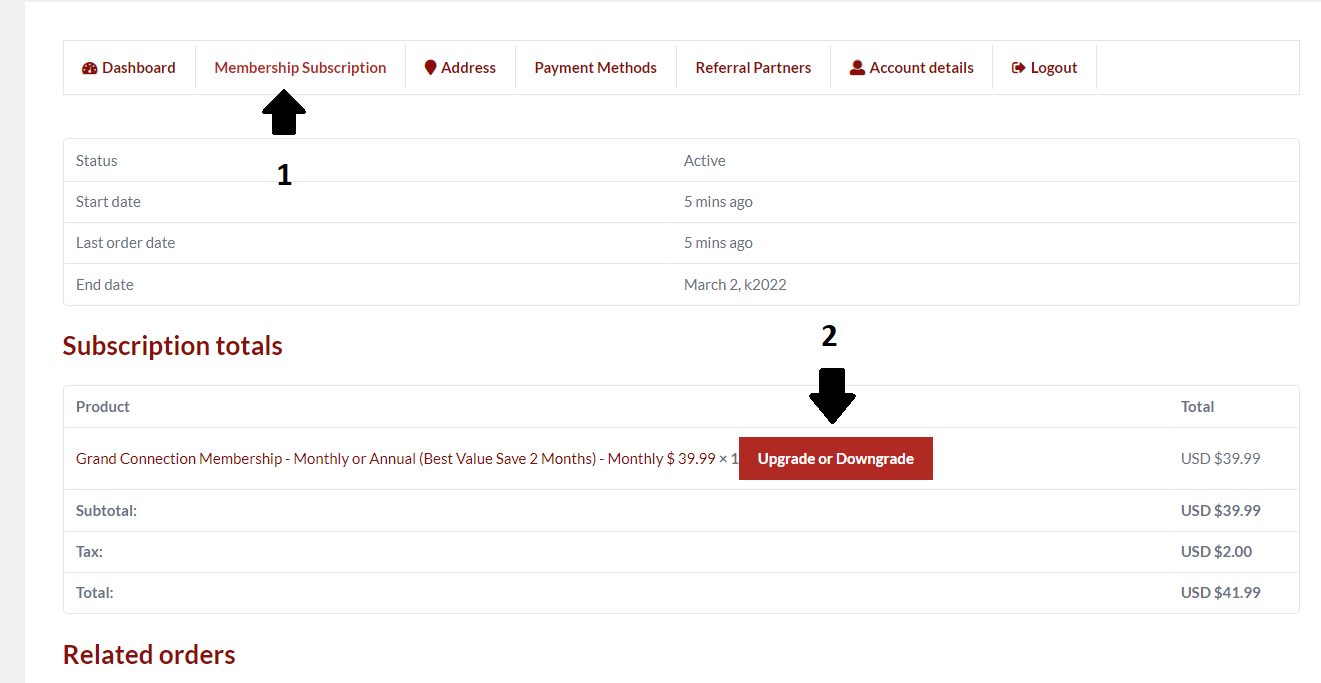
First login and go to your dashboard top right then:
- Membership subscriptions
- Click on the button to upgrade to annual
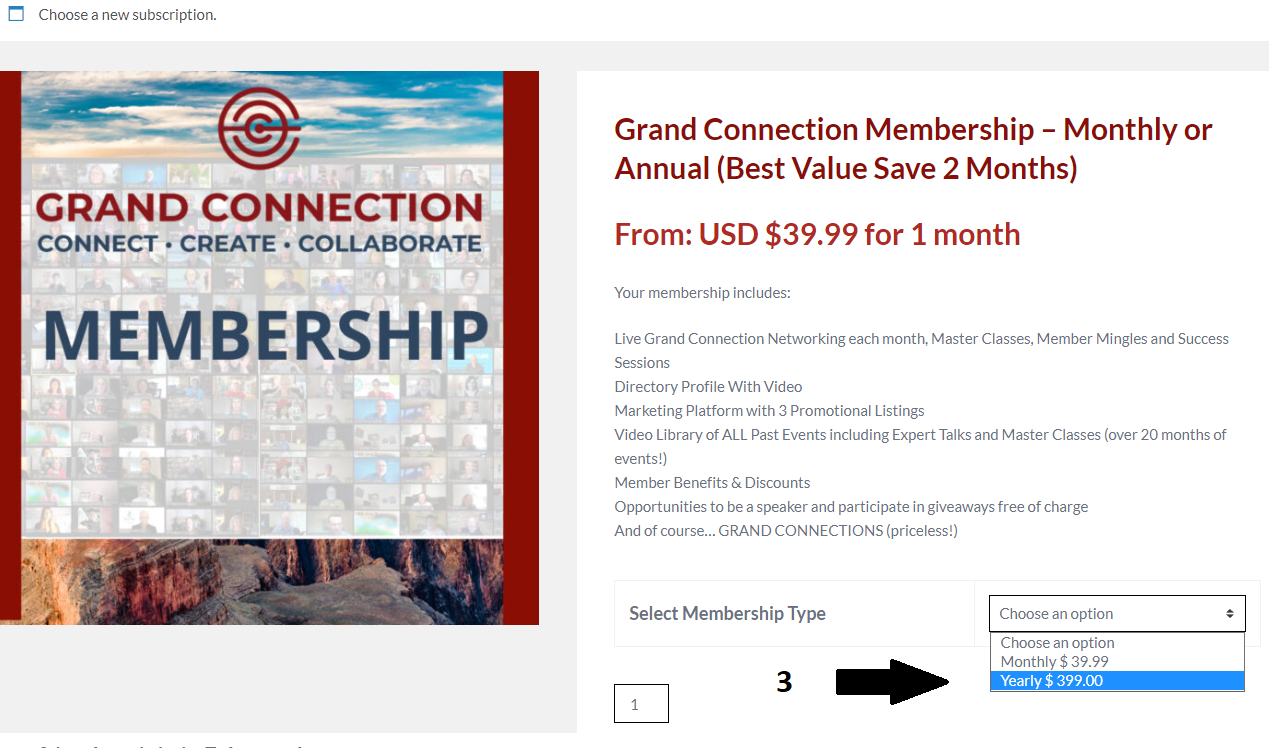
- Choose annual Membership in the cart
If using a coupon, please follow these specific instructions: Go to the join page, MAKE SURE YOU ARE NOT LOGGED IN, select annual, add to cart, view cart, add coupon, login after you have added your coupon during checkout (so it will recognize your username, auto populate the form and switch you to annual), confirm payment method, and pay.
Joined in 2021 or Don’t see the button? Please complete this form so we can manually change your subscription to annual.